
Claude by Anthropic
Anthropic PBCProductivity
4.515.51K Reviews
- Version
- 1.261023.20
- Installs
- 50.00M
- Age Rating
- Teen
Screenshots


Our Review of Claude by Anthropic
 Analysis by Appyee
I find an AI assistant most useful when it has a clear place in my day, rather than becoming another inbox to check. Claude can help me turn a rough question, a messy draft, or a complicated problem into something easier to work with, but it works best when I bring a goal and then decide what to do with the answer. That makes it a practical part of a productivity routine, not a replacement for one.
Start with a task, not another open-ended chat
Before I open Claude, I try to name the outcome I need: a shorter email, a plan for a meeting, a plain-language explanation, or a first pass at a piece of writing. That small step improves the exchange. If I ask for help with a specific audience, tone, and constraint, I usually get a more useful starting point than I do from a broad request such as “help me plan.” I still review the result, but I spend less time steering it back toward the task.
Claude is a free productivity app from Anthropic PBC, with optional in-app purchases listed from $7 to $250 per item. Its audience is rated Teen. It has a 4.6 average from around 191,000 ratings, and has passed 10 million installs, so it is a widely used choice rather than a specialist tool with a narrow audience. It was released on July 11, 2024; the current version is 1.260202.37, and it requires Android 8.0 or later. Those details make it easy to judge whether it fits your device and expectations, but the more important question is how you intend to use it.
Turn a useful answer into something you can reuse
For everyday work, I treat the conversation as a place to shape an idea, not as the permanent home for the finished work. I might ask Claude to sort a jumble of notes into decisions, open questions, and next steps, then copy the parts I trust into the document or task system I already use. This avoids a common trap with chat assistants: having a productive exchange but leaving the result buried in a long thread where I will not find it again.
A small but effective habit is to ask for a response in the format I need to act on: a short checklist, a comparison with clear criteria, or a draft with placeholders where facts still need checking. For example, if I am preparing for a conversation with a contractor, I can ask for questions grouped by cost, timing, and scope, then verify any technical assumptions before relying on them. Claude can help me get organized; it should not be the final authority on consequential details.
A realistic place in a busy day
Imagine I have a meeting in the afternoon, a half-written update, and several scattered thoughts about a project. I can explain the audience and purpose, paste in the notes I am comfortable sharing, and ask Claude to produce a concise update that separates completed work from decisions still needed. I can then edit it in my usual writing app and bring only the unresolved questions to the meeting. The useful gain is not magic automation; it is a quicker route from scattered material to a draft I can judge.
That distinction matters when comparing Claude with a search engine, a notes app, or a conventional productivity assistant. Search is usually better when I need sources and current facts to inspect directly. A notes app is better for keeping and retrieving my own information over time. Claude is strongest in the middle: it can help me reframe, explain, outline, and revise material through conversation. I would not use it as my sole archive, and I would not treat a fluent answer as proof that a claim is correct.
The First Impressions
Jumping right into it, the installation process was a breeze. Within minutes, Claude was ready to go. The interface? Sleek and intuitive. The developers clearly focused on user experience, and it shows. As soon as you open the app, you’re greeted with a neat dashboard that doesn't overwhelm you with options. Instead, it feels like a friendly guide ready to assist you with whatever you need.
Features That Stand Out
Alright, let’s talk features because, honestly, that’s what we’re all here for. The app is designed to help with a variety of tasks, from answering questions to providing insights on complex topics. It’s like having a knowledgeable friend at your fingertips. What really caught my attention was its ability to handle nuanced queries with ease. Whether you’re asking about the latest tech trends or looking for a new recipe, it handles everything with the same level of enthusiasm and expertise.
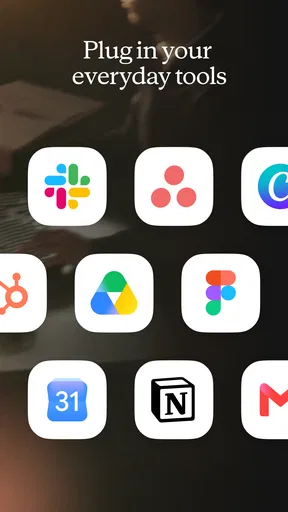
One of the standout features is the seamless integration with other apps on your device. Need to set a reminder or send an email? Claude has got you covered without having to juggle between different apps. It’s the little things like these that make a huge difference in usability.
User Experience
The user experience is nothing short of impressive. The responses are quick, and the conversations feel natural. It doesn’t come across as robotic, which is a huge win in my book. Plus, the app learns from your interactions, so it gets better the more you use it. It’s like having a digital assistant that grows with you.
Another thing I appreciated was the privacy focus. In a world where data security is paramount, Claude ensures that your interactions remain confidential. This is a big selling point for anyone concerned about privacy.
Room for Improvement?
No app is perfect, right? While Claude offers a stellar experience, there are a few areas where it could improve. For instance, there are moments when the app takes a bit longer than expected to respond. It’s not a deal-breaker, but a slight hiccup in an otherwise smooth experience.
Additionally, while the app is great for general queries, there are times when it might not have the latest information on niche topics. It’s understandable, given the vast amount of data out there, but something to keep in mind if you’re diving deep into specific subjects.
Final Thoughts
All in all, Claude by Anthropic is a fantastic addition to your app collection. It’s like having a smart companion that’s always ready to help, learn, and grow with you. Whether you’re tech-savvy or just looking for a reliable assistant, this app is worth checking out.
So, if you're looking to embrace the future of AI in a friendly, intuitive package, give Claude a shot. I promise you won’t be disappointed! And hey, if you do try it, let me know what you think. I’m always up for a chat about the latest in tech!
Make the routine dependable
To get steady value, I would keep a simple loop: gather the material, ask for one focused transformation, check the output, and save the result where the next person or future me will actually look. If I need a project brief, for instance, I can request a structure with background, choices, risks, and the next decision, then fill gaps rather than asking for a polished-sounding summary that hides uncertainty. The key is to make the output easy to verify and easy to hand off.
A useful refinement is to split a broad task into stages. I might first ask for an outline, correct its emphasis, and only then ask for a draft. That gives me more control than requesting a finished document all at once, especially when the subject has important caveats. For coding help, the same idea applies: describe the intended behavior, share a small relevant example, and ask for an explanation of the proposed change. I would still run and test code in the environment where it will be used, rather than assuming a plausible answer is a working solution.
Where the workflow can break
The biggest practical risk is not a dramatic malfunction; it is accepting a confident answer too quickly. A tidy summary can omit a qualification, and a reasonable-sounding explanation can still contain an error. I use Claude to accelerate drafting and thinking, then check names, dates, calculations, and claims that could affect money, health, safety, or someone’s reputation. When accuracy matters, I ask it to distinguish assumptions from facts and use independent sources for verification.
There is also a boundary question: what material is appropriate to paste into any assistant? I avoid putting in passwords, private client details, or sensitive personal information unless I have a clear reason and understand the relevant account and privacy settings. A conversational interface can feel informal, but that does not make every document suitable to share. For confidential work, I prefer a locally managed workflow or an approved tool chosen by the organization.
Another friction point is that a chat can create the feeling of progress without producing a durable result. If I keep asking for alternate versions, I can spend more time polishing than the task deserves. I set a stopping point: once the answer is accurate enough for its purpose, I move it into the right document, send it for review, or make the decision. Claude is most productive when it helps me finish a step, not when it encourages endless conversation.
Who is likely to get the most from it?
I would recommend it to people who regularly need a thinking partner for writing, learning, planning, or breaking down complicated material. Students can use it to request a simpler explanation and then test their understanding in their own words; professionals can use it to shape an outline or prepare questions before a meeting; developers can use it to reason through an approach while retaining responsibility for testing. In each case, the benefit comes from asking follow-up questions and applying judgment, not copying the first response.
It is less suitable for someone who wants a reliable, automatically maintained task manager, a searchable archive of personal notes, or a source-backed research database. A dedicated calendar or task app is the better choice for reminders and deadlines, while a conventional search tool is preferable when I need to inspect original sources and establish what is current. People who dislike conversational back-and-forth may also be happier with a focused utility that performs one predictable job without requiring prompts.
Choosing it with clear expectations
Claude is free to start, but the presence of in-app purchases means I would check the options shown in the app before assuming every level of use costs nothing. The right choice depends on how often I use it and whether the paid offering, if I consider it, solves a real limitation in my routine. I would begin with ordinary, low-stakes tasks and judge the value by whether it saves effort without adding more checking or cleanup than it removes.
My overall view is that Claude is most convincing as a flexible workbench for thought: a place to clarify a question, reshape a draft, or find a sensible next step. It is not a substitute for careful research, a dedicated organizer, or my own decisions. If I keep those boundaries in mind and carry useful results into the tools where I already work, it can earn a practical place in a sustainable productivity system.
Privacy and Permissions
See what permissions an app requests and how it handles your data.
- Calendar
- read calendar events plus confidential information, add or modify calendar events and send email to guests without owners' knowledge
- Location
- approximate location (network-based), precise location (GPS and network-based)
- Photos/Media/Files
- read the contents of your USB storage, modify or delete the contents of your USB storage
- Storage
- read the contents of your USB storage, modify or delete the contents of your USB storage
- Microphone
- record audio
- Other
- view network connections, full network access, change your audio settings, run at startup, control vibration, prevent device from sleeping, set an alarm
Verdict
Strengths of Claude by Anthropic
- User-friendly interface with intuitive design.
- Fast processing and response times.
- High-quality conversational abilities.
- Supports multiple languages effectively.
- Strong privacy and data protection measures.
Limitations of Claude by Anthropic
- Limited integrations with third-party apps.
- Occasional inaccuracies in complex queries.
- Requires stable internet for optimal use.
- Lacks certain niche features found in competitors.
- Premium features can be costly.
Similar Picks in This Category
View All
Google Calendar
Google LLC4.6

Google Drive
Google LLC4.3

Google Assistant
Google LLC3.9

Microsoft OneDrive
Microsoft Corporation4.6

Samsung Calendar
Samsung Electronics Co., Ltd.4.1

Microsoft OneNote: Save Notes
Microsoft Corporation4.6
Frequently Asked Questions
What is Claude by Anthropic?
Claude by Anthropic is an advanced AI assistant designed to help users with a variety of tasks, including managing schedules, answering inquiries, and providing recommendations. It utilizes machine learning to improve its responses over time, making it a versatile tool for both personal and professional use.
Is Claude by Anthropic available on both Android and iOS?
Yes, Claude by Anthropic is available for download on both Android and iOS platforms. This ensures that users across different devices can benefit from its features. The app is regularly updated to ensure compatibility and performance across all supported devices.
What are the key features of Claude by Anthropic?
Claude offers features such as natural language processing for intuitive interaction, task automation, and personalized recommendations. It also includes calendar integration, reminders, and the ability to handle complex queries. These features are designed to enhance productivity and streamline daily tasks.
How does Claude ensure user privacy and data security?
Claude by Anthropic prioritizes user privacy and data security by implementing robust encryption and data handling practices. The app complies with industry standards and regulations to protect user information from unauthorized access, ensuring a secure experience for all users.
Can Claude be integrated with other apps and services?
Yes, Claude offers integration with various third-party apps and services, allowing users to sync data and automate tasks across platforms. This interoperability enhances its functionality, making it a valuable tool for users looking to streamline their workflow.
